

Run your tenancy — without leaving the product.
A dashboard that opens instantly and stays in step with your catalogue. Granular security with roles and permissions. A personal workspace that follows each curator across devices. And custom fields you define yourself — without filing a ticket.
- Dashboard
- Live
- Roles
- Fine-grained
- Per-user data
- Across devices
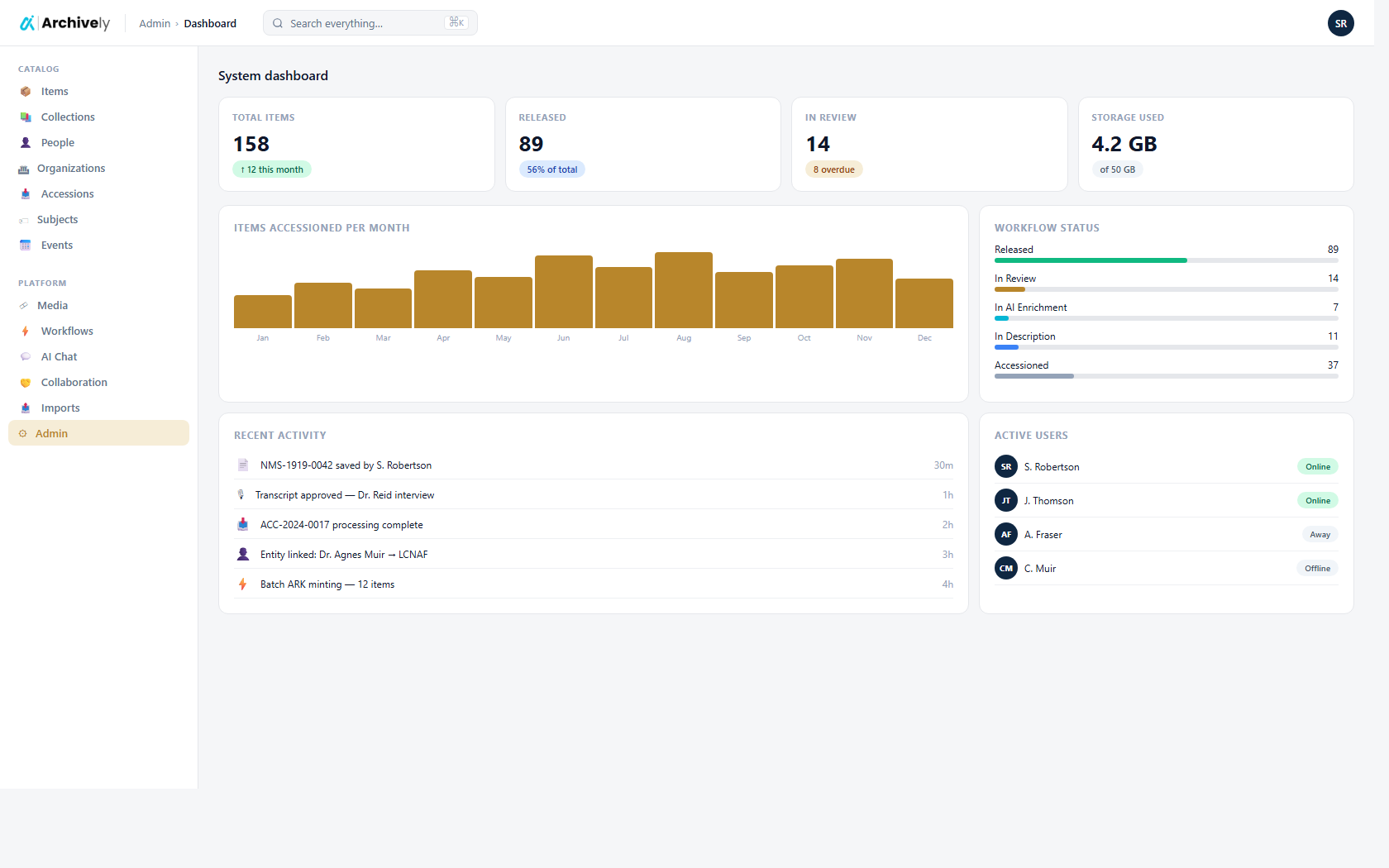
A dashboard that opens like a desk, not a website.
Land on it, see your collection at a glance, jump to whichever record you were last looking at. It moves the moment you change something — publish a record and the count updates, upload a file and the storage bar shifts — and it doesn't make you wait every time you tab back to it.
- Collection at a glance: items, files, hours of audio, storage used
- Plan & Usage card with live meters — you'll see 80% before you hit it
- Recently viewed picks up where you left off, per curator
- Activity feed across users and modules
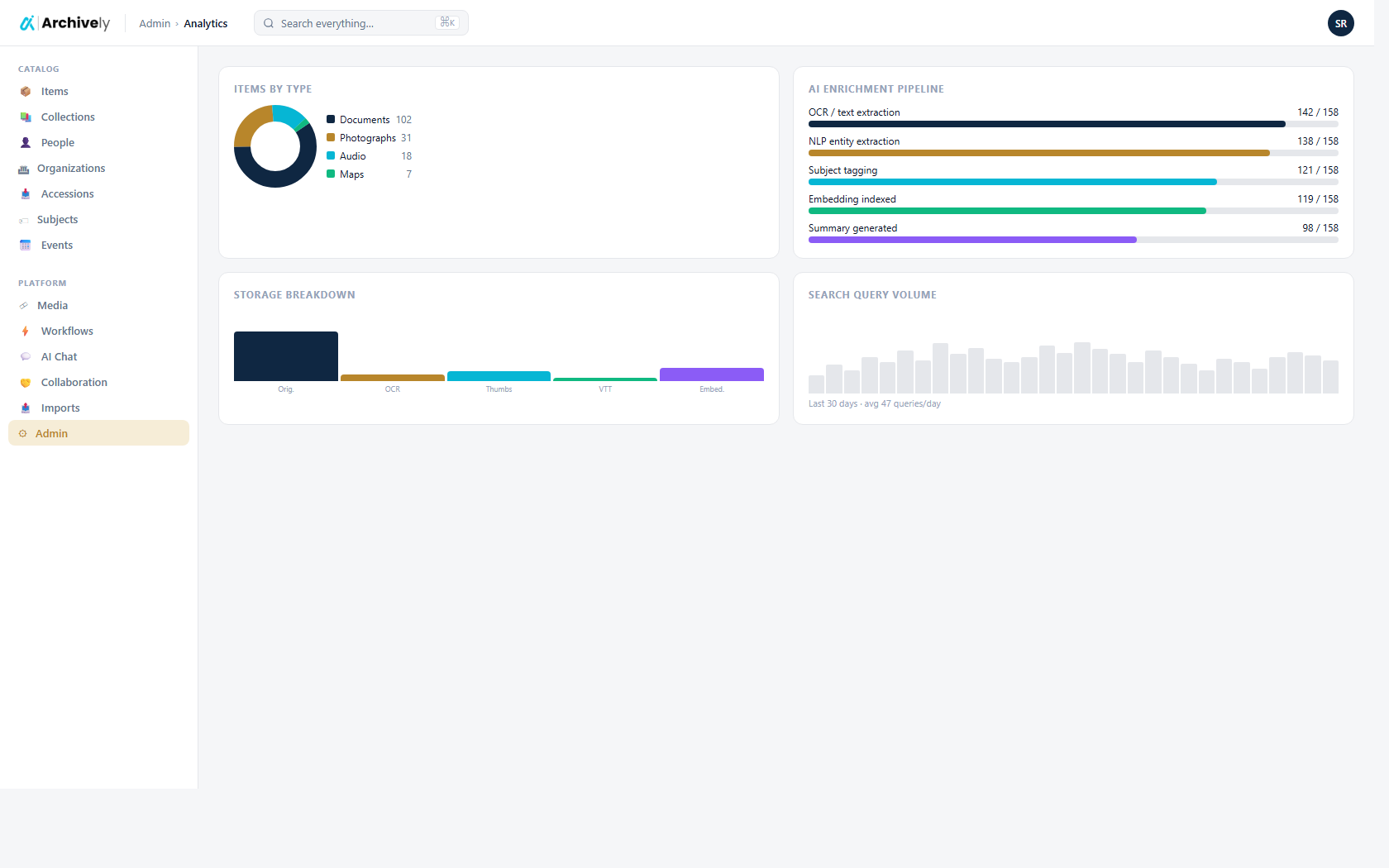
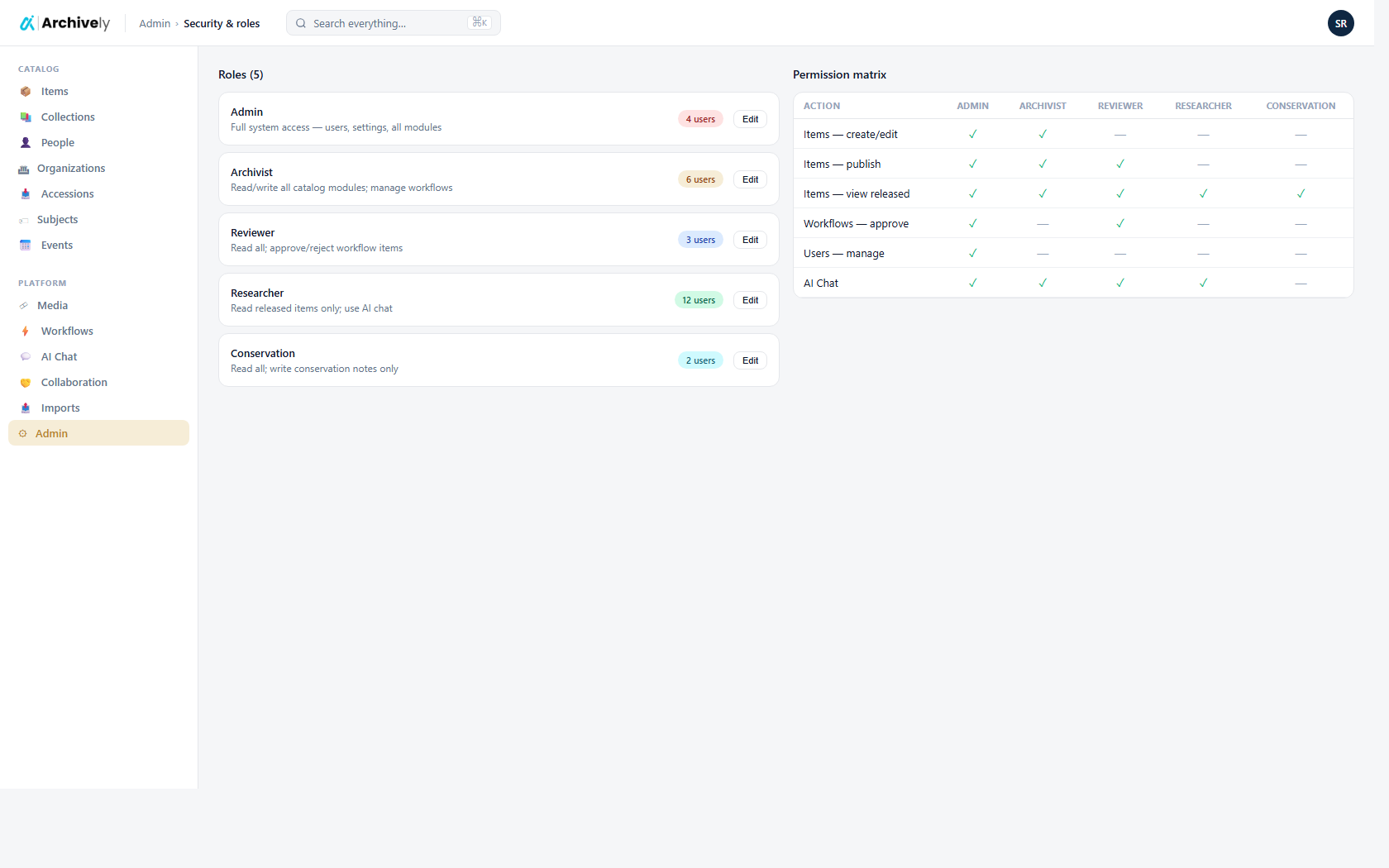
Security & roles, first-class.
Decide who sees what, who publishes, who deletes — at the level of a module, an action, or even an individual field. Embargoed material stays hidden. Consortium tenants can plug straight into the institution's existing sign-on.
- Role and permission editor with inheritance
- Field-level redaction for sensitive records
- Single sign-on (SAML / OIDC) for institutional deployments
- Per-user account security: 2FA, verified email, sign-out-everywhere
A workspace each curator carries with them.
Favourites pinned to the sidebar. Recently viewed files surfaced on the dashboard. A Contributions tab that quietly counts everything you've created or edited. Open a different browser on a different machine — it's all already there.
- Pin the records you live in to the sidebar
- Recently viewed files come back to the top
- Contributions tab groups your work by module, with one-click deep links
- Theme, default landing page, and language travel with the account

Custom fields, without a developer.
Most archives outgrow the standard field set within a month. Add the ones you need — donor reference, conservator, embargo end date, materials — from a single settings page. They show up on the detail pages with the same edit, save, and publish behaviour as everything else.
- One settings page with a tab per module
- Nine field types, including multi-select and rich text
- Edits flow through the same track-changes save bar
Ready to see it on your collection?
Load a few records. Run the AI. Review and publish — before lunch.