

Bring your existing catalog — and the bucket your files live in.
Migrate from a legacy catalogue. Or skip the upload step entirely — point us at the bucket your files already live in, drop a metadata spreadsheet next to them, and let the AI draft a mapping plan you review before anything writes.
- Source types
- File · API · cloud storage
- Mapping
- AI-drafted
- Manifest
- Sidecar / upload
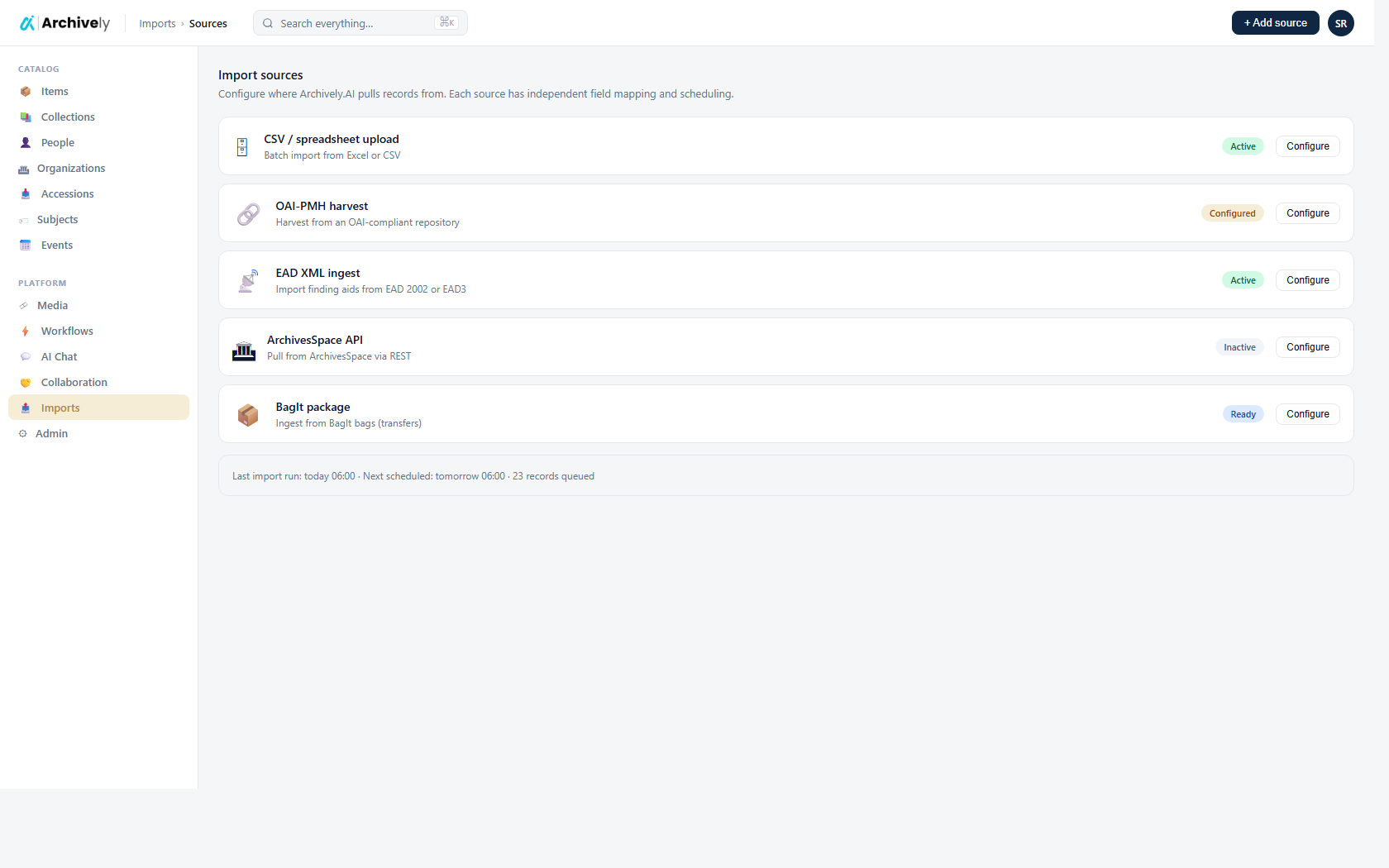
Point us at the storage your files already live in.
Most digitisation projects end with a few hundred gigabytes sitting in storage the institution already pays for — an S3 bucket, an Azure Blob container, an FTP / SFTP server, a Box enterprise folder, a Google Drive folder a department has been adding to for years, or a OneDrive for Business / SharePoint site. Plug in the credentials for that source and ingest from there. Nothing has to be re-uploaded through a browser.
- S3-compatible storage, Azure Blob, FTP / SFTP, Box, Google Drive, and OneDrive for Business / SharePoint — all under the same scan / map / run flow
- Connect to your own storage — Archively never holds the credentials beyond the source record
- Scope by bucket / folder / drive, with an optional prefix
- Re-runnable: scan again later and the importer picks up only the new files
- Google-native Docs / Sheets / Slides export to PDF / XLSX / PPTX on the way in

An AI that drafts the mapping plan for you.
Folder names that mean fonds. Filenames that hold dates. Sidecar PDFs that go with their parent image. The AI reads a sample of your bucket, drafts the rules — which paths become which records, which files get ignored — and hands you the plan to review. Edit it, save it, re-run it on the next batch.
- AI drafts the mapping from a real sample of your tree
- Curator review before any record is created
- Save the mapping and reuse it for every future ingestion from the same source
Bring your spreadsheet. We'll match the rows to the files.
Most archives describe a digitisation batch in a spreadsheet — one row per file, columns for title, date, photographer, condition, restrictions. Drop that spreadsheet next to the files in your bucket, or upload it straight to the source. The importer matches every row to its file and folds the metadata in before the AI even looks at the image.
- Manifest can live in your bucket as a sidecar, or be uploaded directly
- Match on filename, key, or relative path — whichever your sheet uses
- Manifest values seed the catalogue record and inform the AI extraction

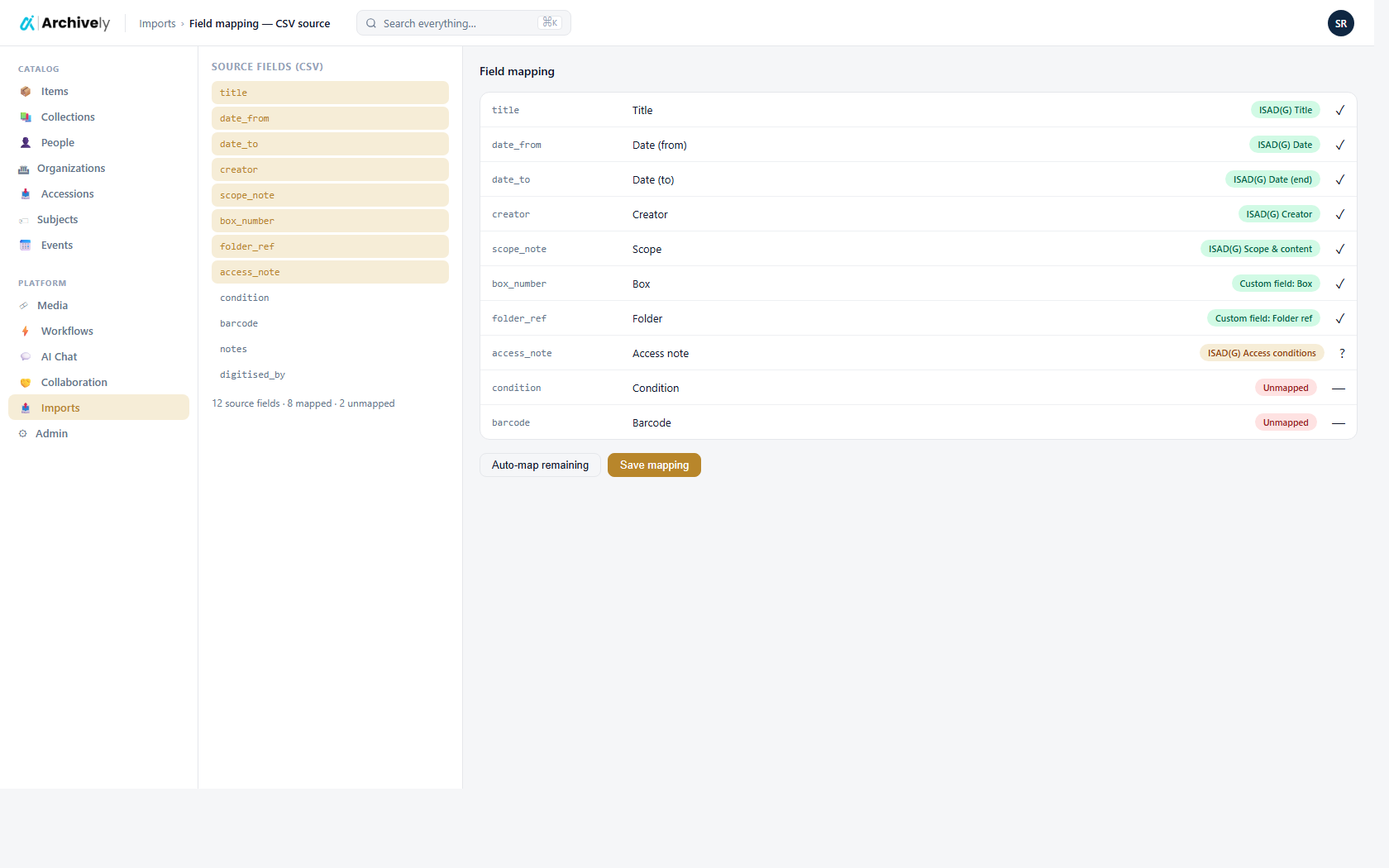
Catalog migrations: CSV, XML, EAD, MARC, REST.
The classic field-mapping engine still handles migrations from legacy systems — the import configuration is saved per tenant, re-runnable on demand, and you can dry-run it before anything writes to your catalogue.
- File (CSV / XML / EAD / MARC) and API (REST / JSON) sources
- Mapping templates you can save and re-use across imports
- Dry-run with field-level preview before commit
Live connectors to ArchivesSpace and Preservica.
When the source is another archival system rather than a folder of files, the importer pulls records directly through that system's REST API — descriptive metadata and bitstreams together — and builds Fonds + Items + AssetFiles in your tenant. No XML round-trip, no manual export step.
- ArchivesSpace — walks Resources + ArchivalObjects via the staff REST API, downloads each archival_object's digital files
- Preservica — structural-object → information-object → content-object → bitstream traversal via the Entity API
- Re-runnable on schedule; the importer picks up only what changed
Standards-aware imports — every export format also imports.
Drop an EAD finding aid from ArchivesSpace, a MODS record from a union catalog, an EAC-CPF authority record from a partner repository, a METS package from Archivematica, a BagIt bag from a Preservica handoff — or paste a remote OAI-PMH URL and harvest records straight in. Format is auto-detected from the file itself; no need to pick the standard first.
- Six standards in, one upload surface: EAD 2002 + EAD3, MODS 3.7, EAC-CPF, METS, BagIt 1.0, OAI-PMH harvest
- Format auto-detected from XML root or tar magic — drop and import
- Per-job conflict policy: skip existing records, fill only empty fields, or overwrite
- Authority dedupe by ORCID / VIAF / ISNI / ROR / Wikidata across repositories
- Dry-run preview before commit — see exactly what will land
- Round-trip tested: every export format re-imports through the same parser
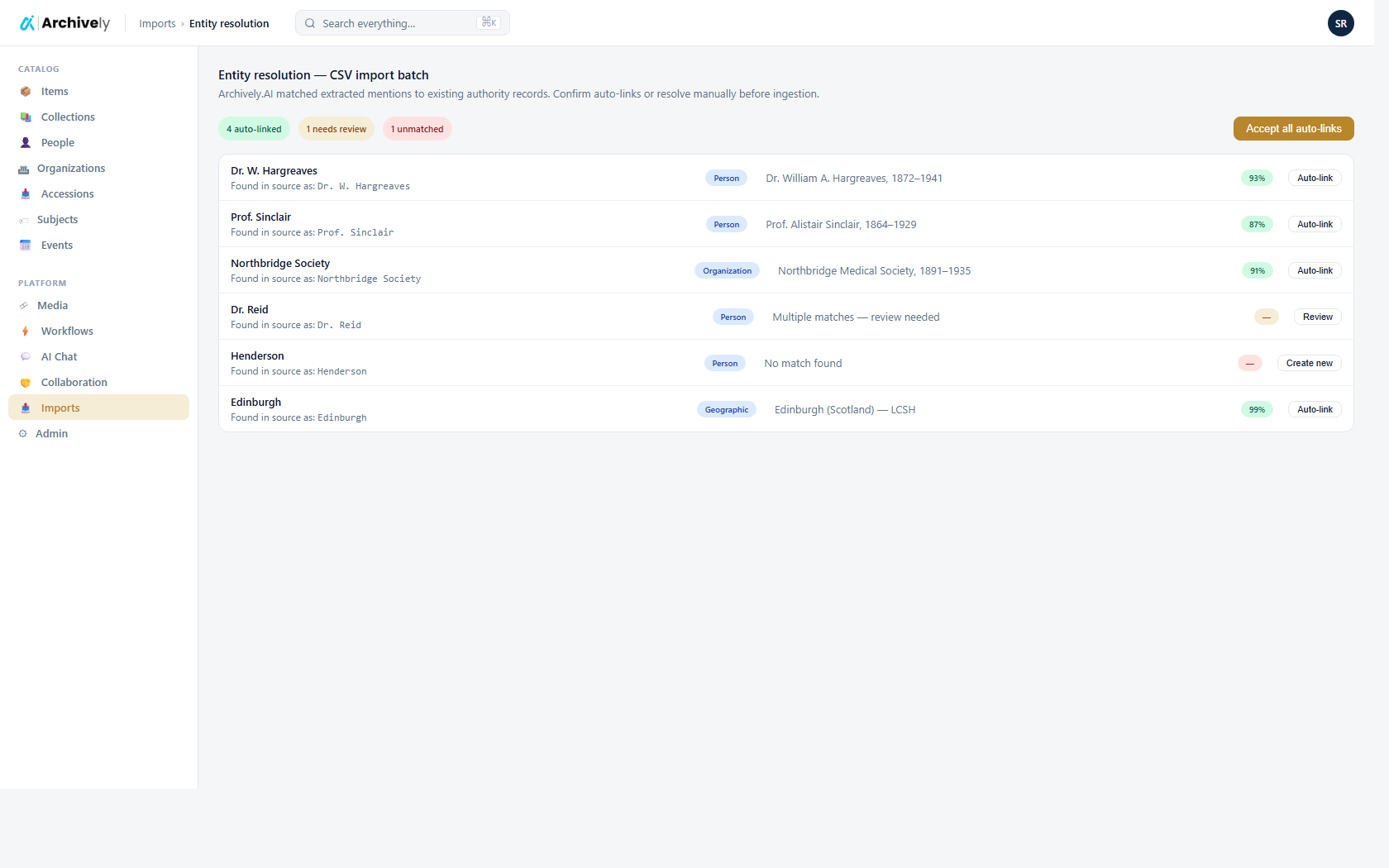
Entity linking during import.
When an imported record mentions a person or organization, the importer offers to link to existing authorities — not create duplicates.
- Fuzzy matching with confidence thresholds
- Hold unresolved entities for curator review
- Merge rules for obvious duplicates
Scheduled imports for live catalogs.
Pull from an upstream catalog every night. The importer only touches changed records, and flags conflicts with local edits for review.
- Cron-scheduled runs per source
- Delta-only updates with change report
- Conflict resolution for hand-edited records
Ready to see it on your collection?
Load a few records. Run the AI. Review and publish — before lunch.